Verify a Credential
Oho re-checks verifiable credentials on a schedule, but sometimes you want an answer now — a worker starts tomorrow, or a card looked wrong. Verifying a single credential checks it against the issuing register on the spot, and keeps a record of exactly what came back.
Step 1: Open the credential
Open the worker's profile, click Credentials, and click View Credentials on the card you want to check. This opens the credential's own page, with everything Oho knows about it — the details submitted to the registry, its status, and its verification history.
Step 2: Click Verify credential
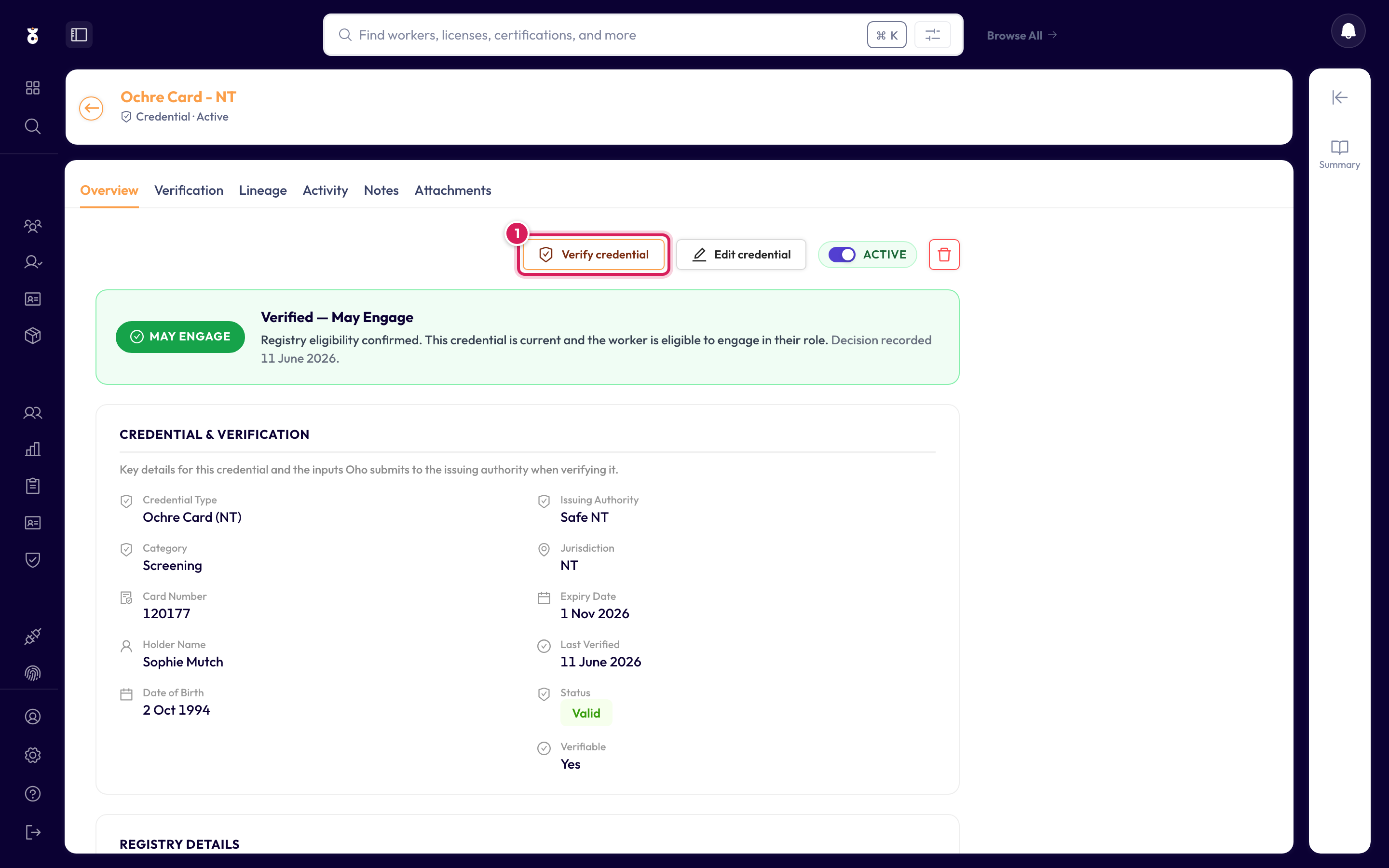
Oho contacts the issuing register — for an Ochre Card that's SAFE NT — and updates the credential on the spot.
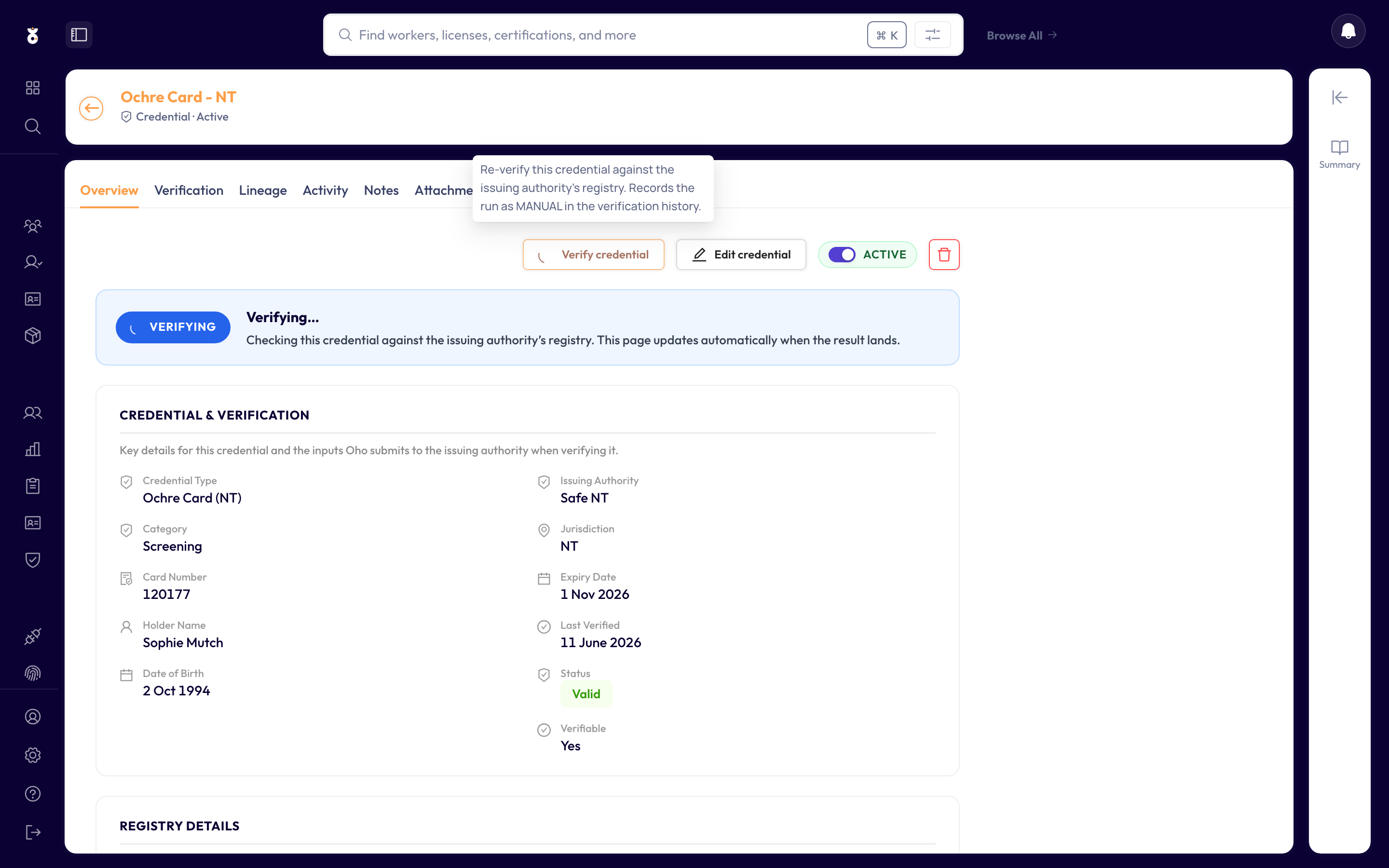
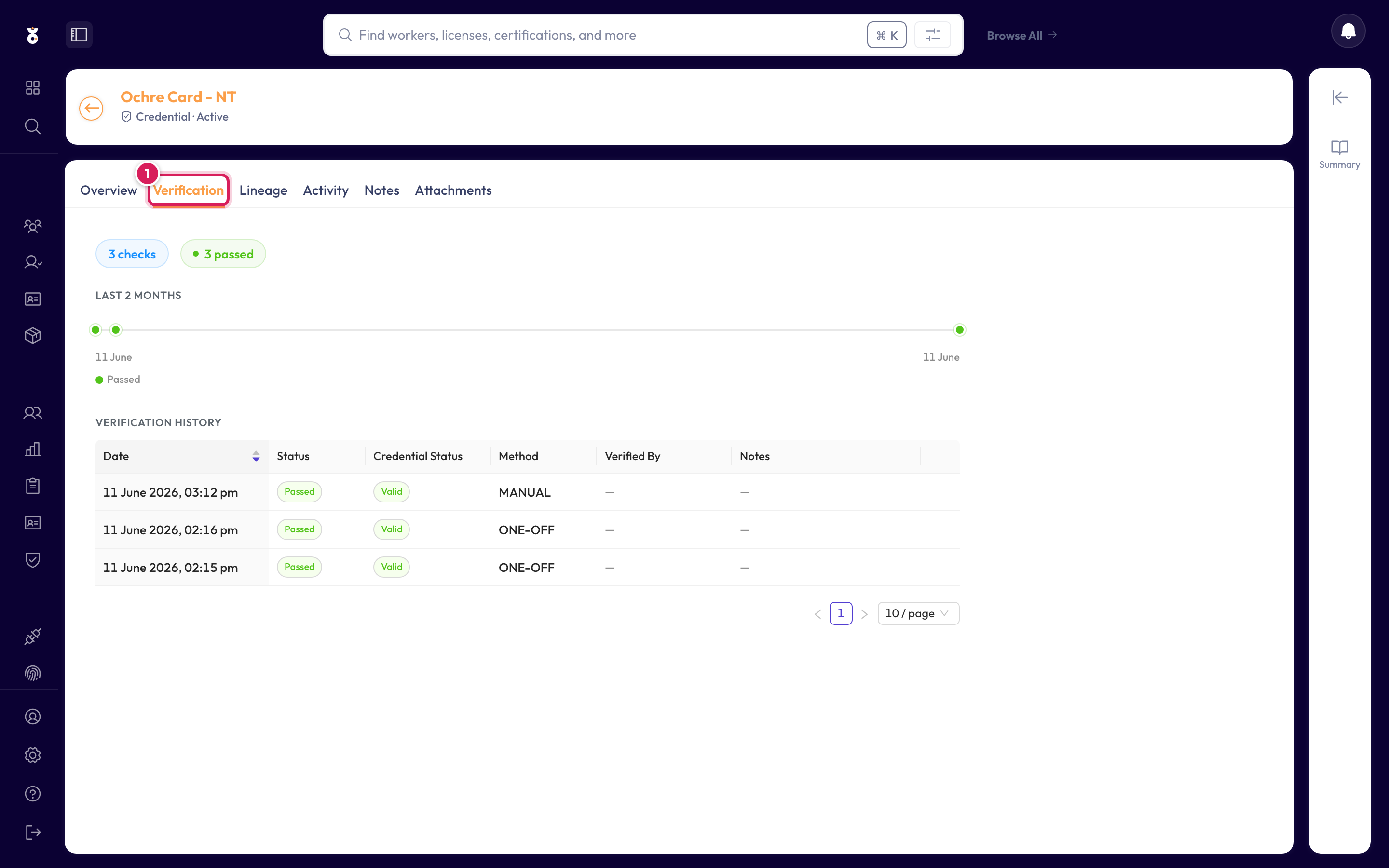
Step 3: Read the result on the Verification tab
The Verification tab holds the full story: when the credential was last checked, what the register returned, and the registry's engagement decision (May Engage / May Not Engage) where the register provides one.
The worker profile's Credentials tab has a Verify all button that runs every verifiable credential they hold in one go.
Certificates with no public register (e.g. First Aid) are expiry managed — Oho tracks their expiry date instead of querying a registry.
The worker appears in the Compliance Overview queue immediately — that's the place to chase a renewal or record an exemption.
What's next
- Add a verification source if a credential type shows as unverifiable but its register should be connected