Send a Recruitment Check Request
A recruitment check request screens someone before they start. The applicant gets an email with a secure link, uploads the credentials your screening package asks for, and Oho verifies them — you just watch the request's progress.
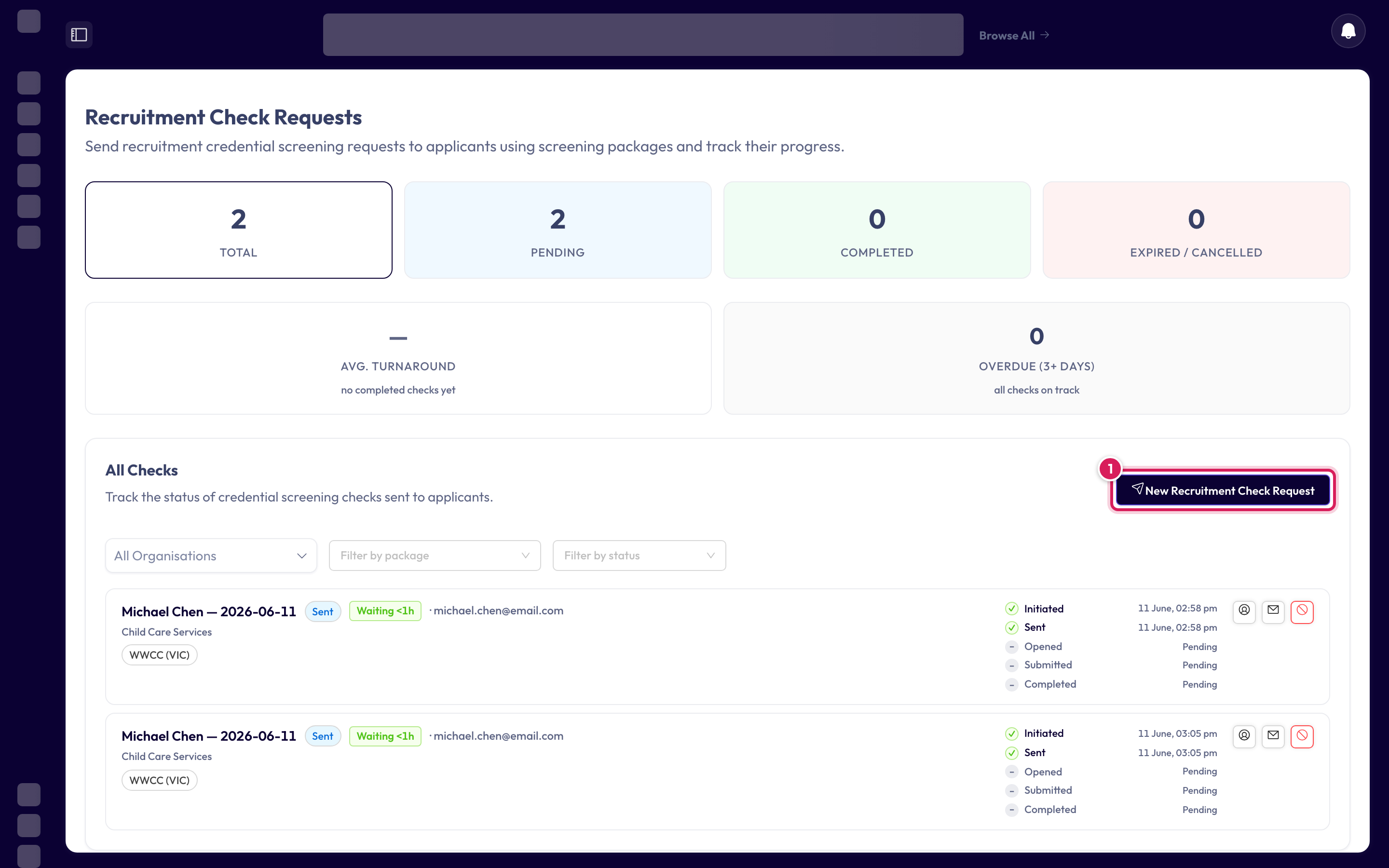
A tracked screening request: you'll see it move from Pending to Completed as the applicant responds, with every credential verified along the way.
Before you start
- A screening package for the role
- The applicant's name and email address
Step 1: Open Recruitment Check Requests
In the left menu under Recruit, click Recruitment Check Requests, then click New Recruitment Check Request.
Step 2: Link a job — or skip
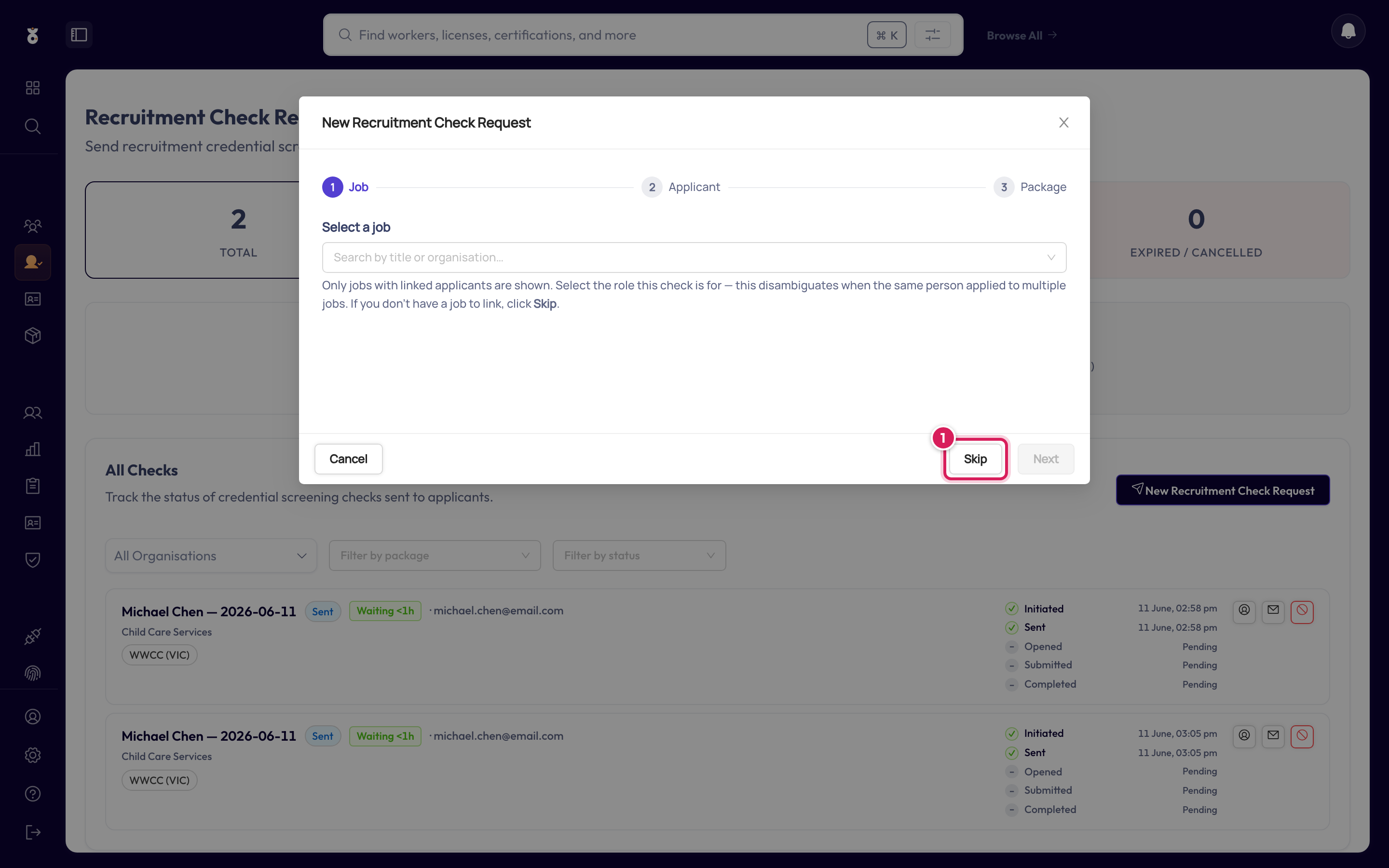
If the applicant applied for a specific job, select it so the check is tied to that role. No job to link? Click Skip (1).
Step 3: Choose the applicant
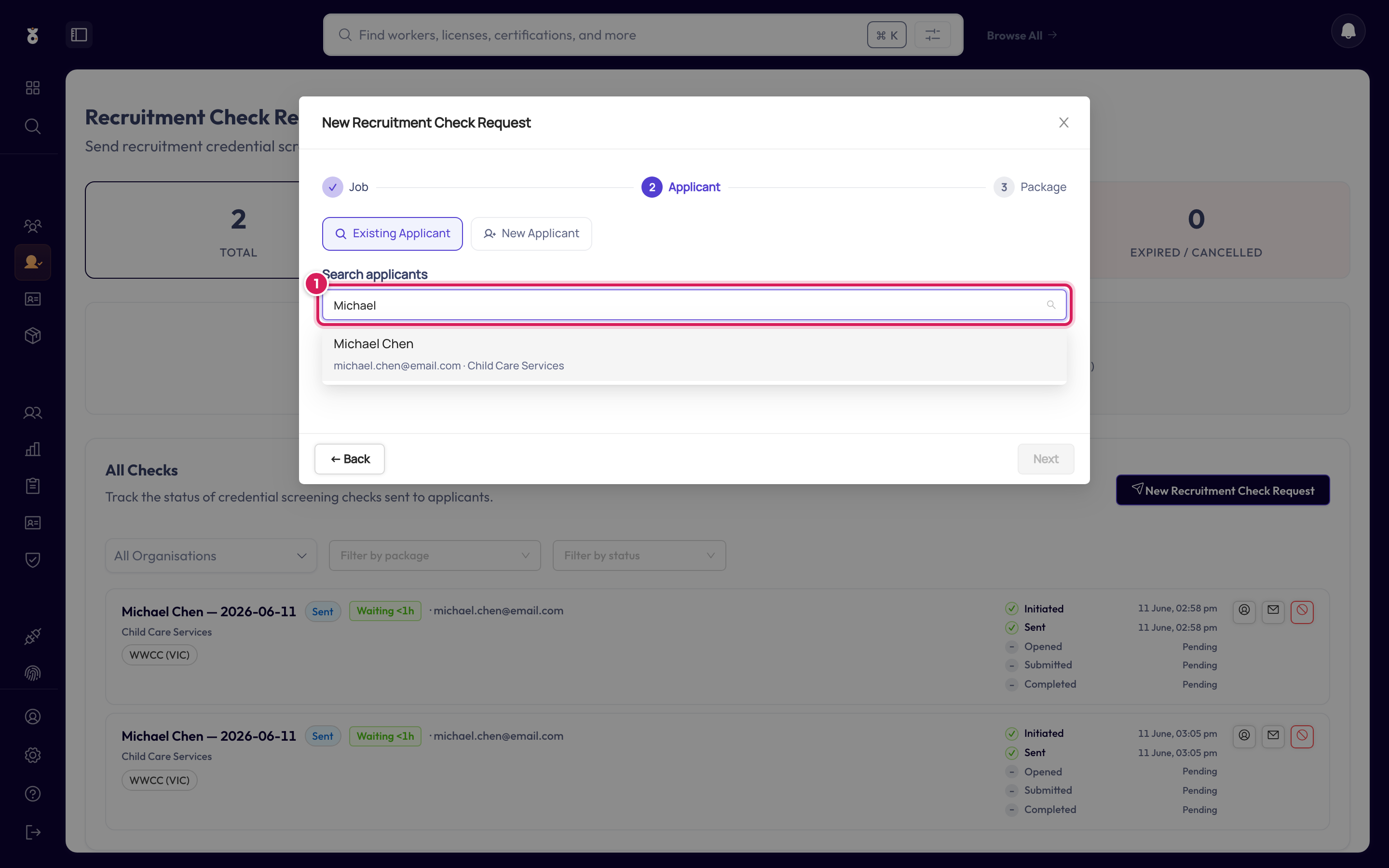
Start typing the applicant's name and pick them from the results — or switch to New Applicant to create them on the spot.
Step 4: Choose the package and send
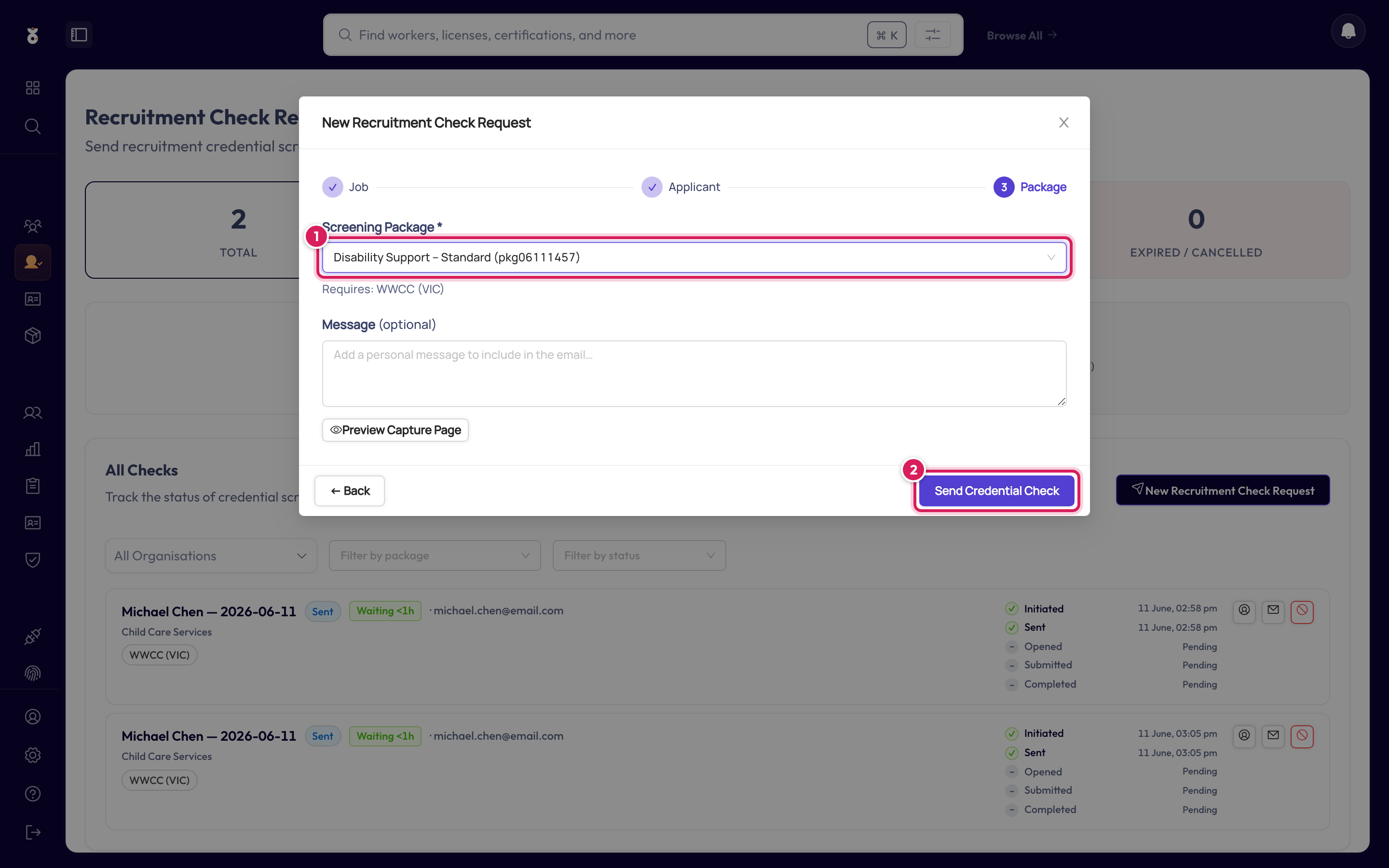
Pick the screening package that matches the role (1) — it decides exactly which credentials they'll be asked to provide — and click Send (2). The applicant receives an email with a secure upload link.
Track its progress
The request appears in the list with its status. The summary tiles at the top of the page show how many requests are pending, completed, or overdue across all applicants.
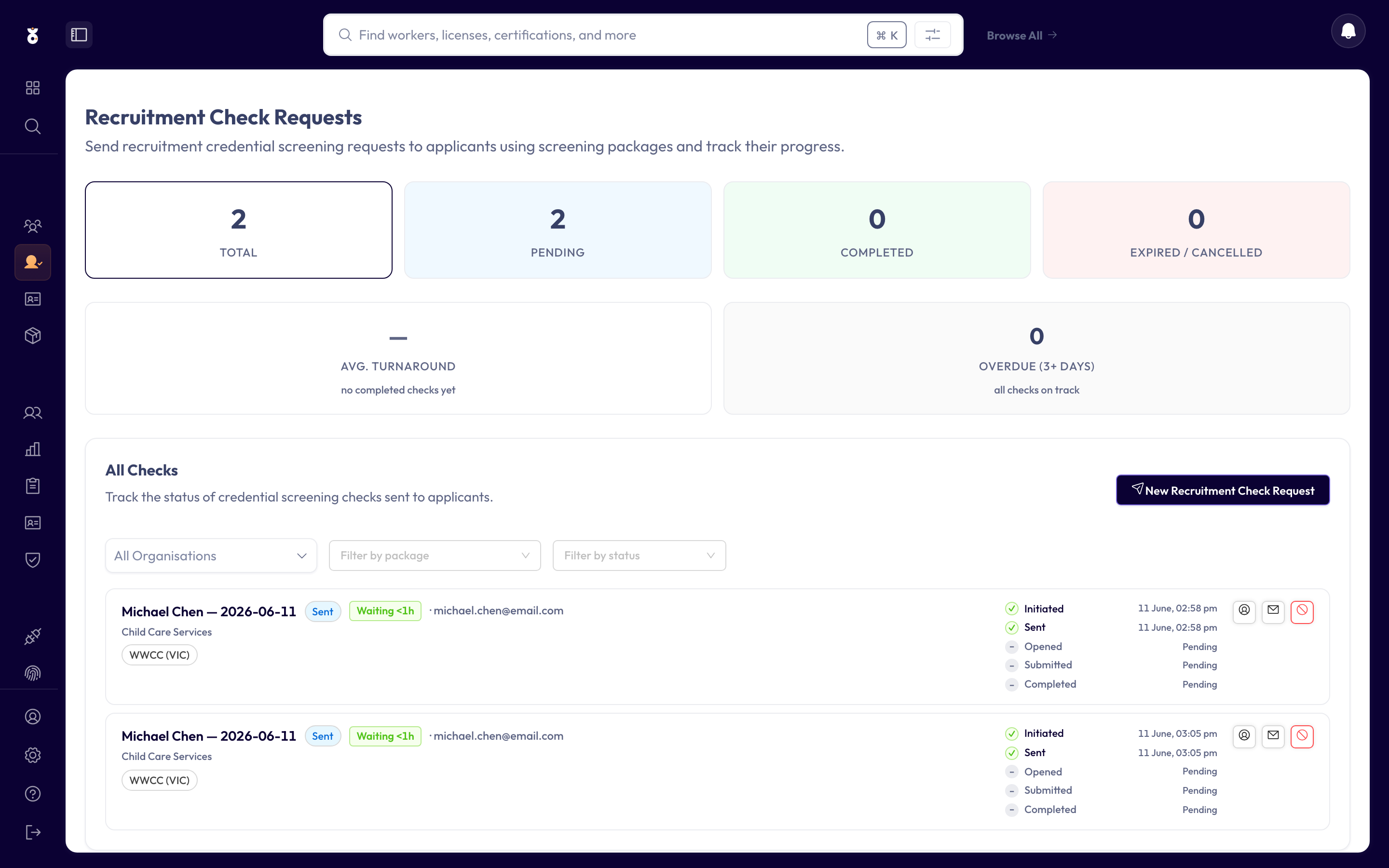
Requests that sit unanswered past 3 days show as Overdue on the Recruitment Check Requests page, and you can re-send the email from the request's row.
What's next
- Once they're hired, their verified credentials carry over — add them as a worker to start continuous monitoring