Send a Fetch Request
A fetch request asks an existing worker to supply credential details you don't hold — their new First Aid certificate, a renewed registration number, a missing document. The worker gets an email with a secure link; whatever they provide lands on their profile, verified where possible.
Use a fetch request for someone already in Oho. Use a recruitment check request to screen an applicant before they start.
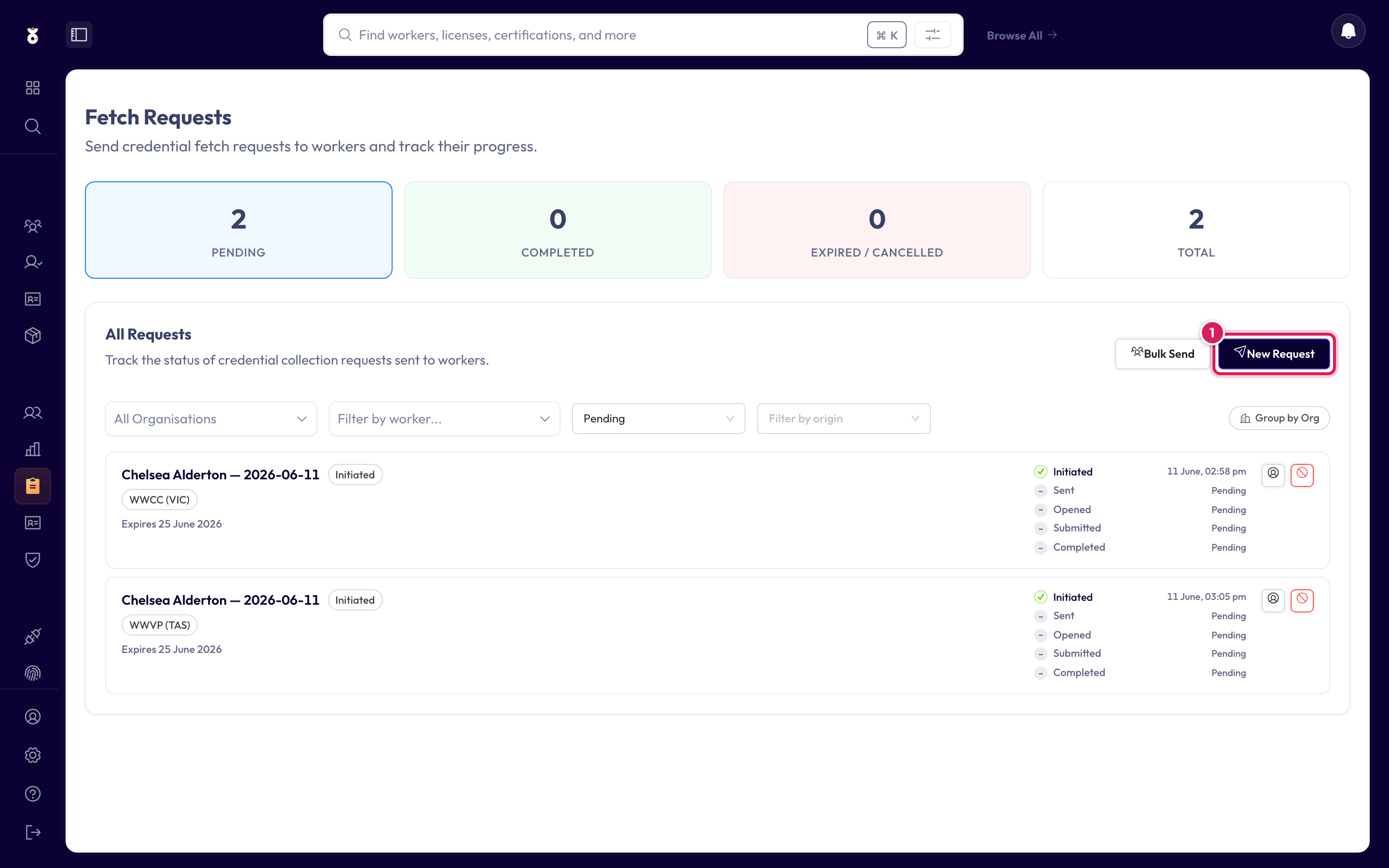
Step 1: Open Fetch Requests
In the left menu under Continuous, click Fetch Requests, then start a new request.
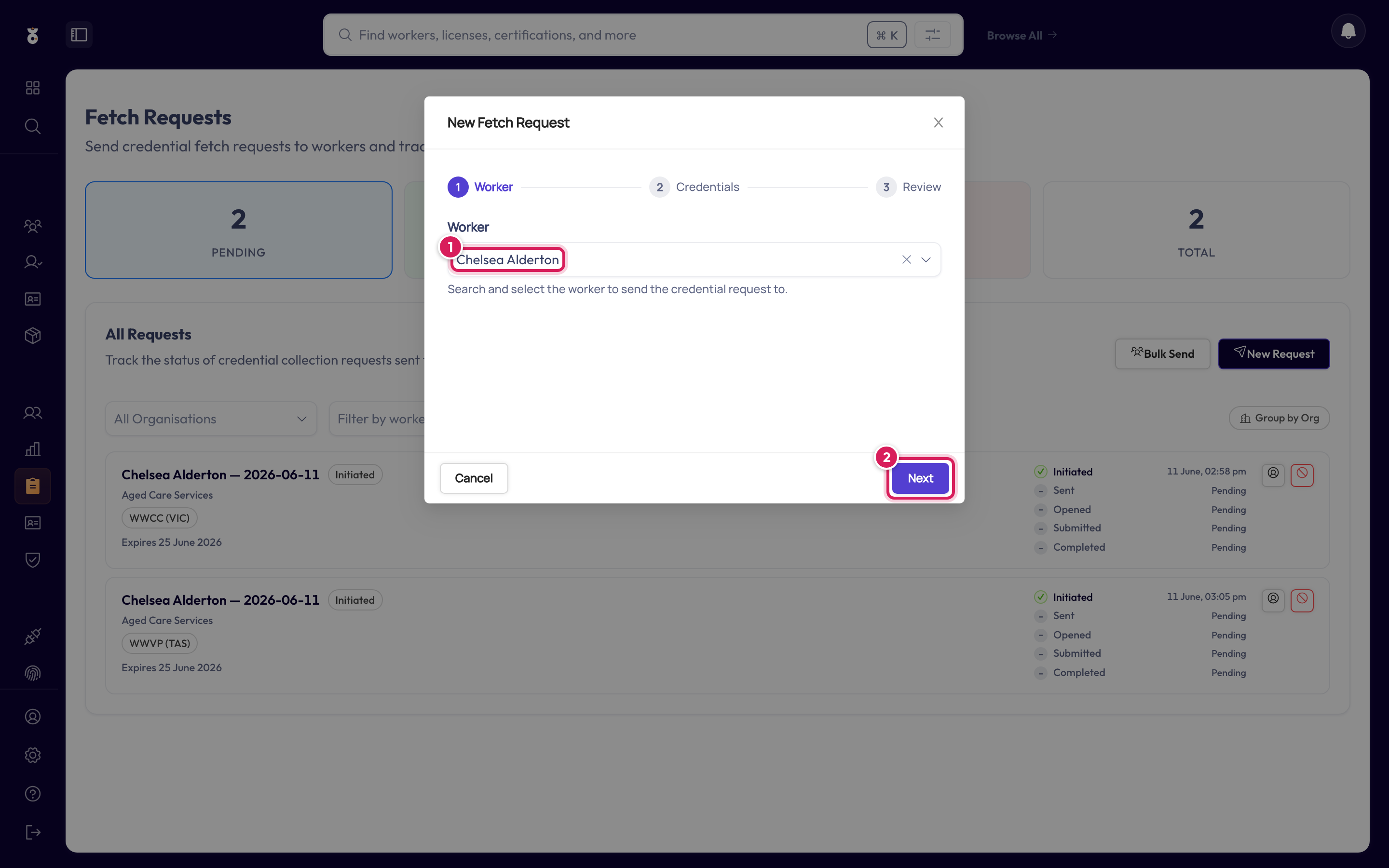
Step 2: Choose the worker
Search by name (1) and click Next (2).
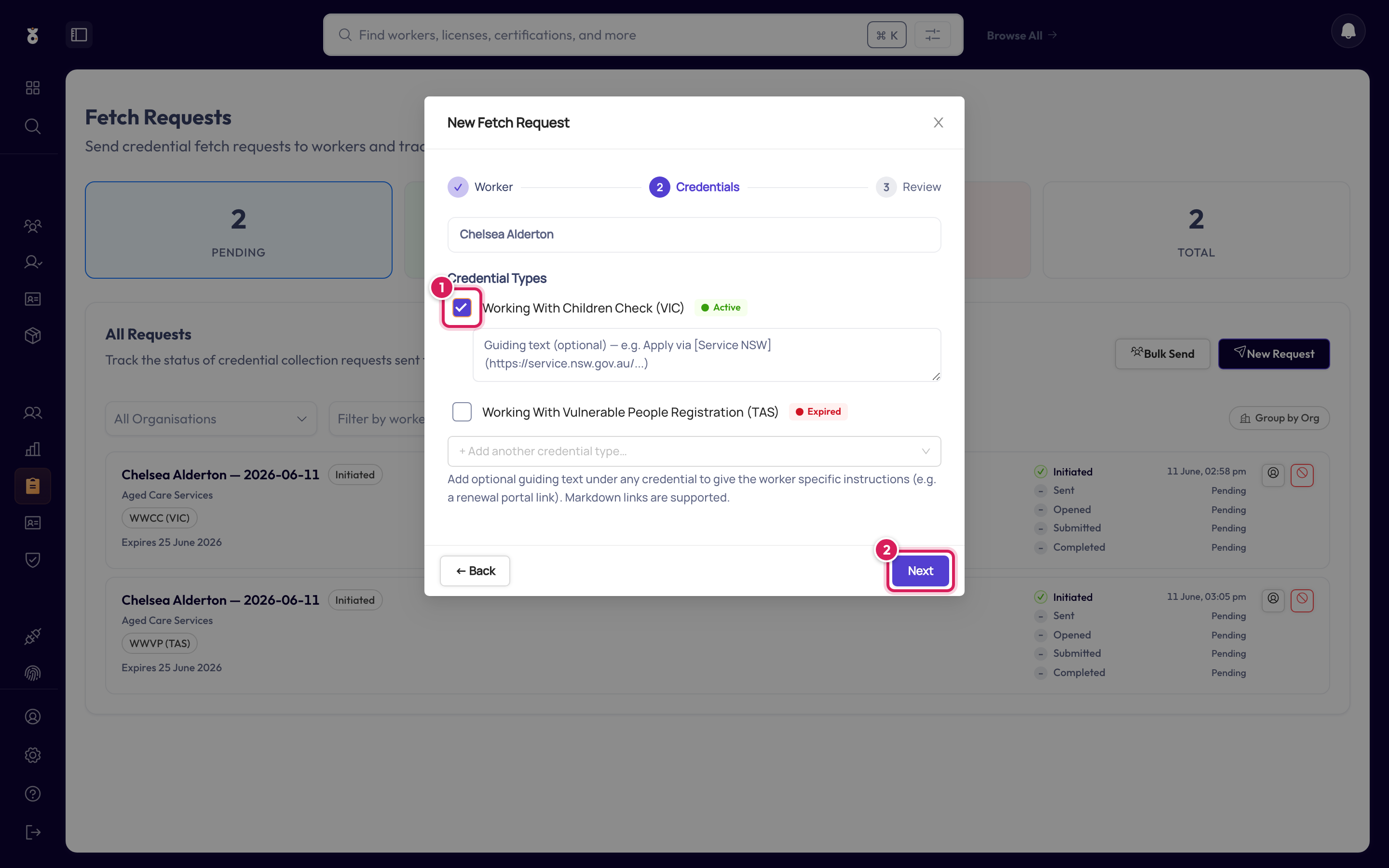
Step 3: Choose the credentials
The list starts with credentials Oho already holds for this worker — handy when you're chasing a renewal of an expired card. Tick what you're asking for (1), use + Add another credential type for anything new, then click Next (2). You can add guiding text per credential — e.g. "Please provide your original certificate, not the wallet card" — which appears on the worker's upload page.
Step 4: Review and send
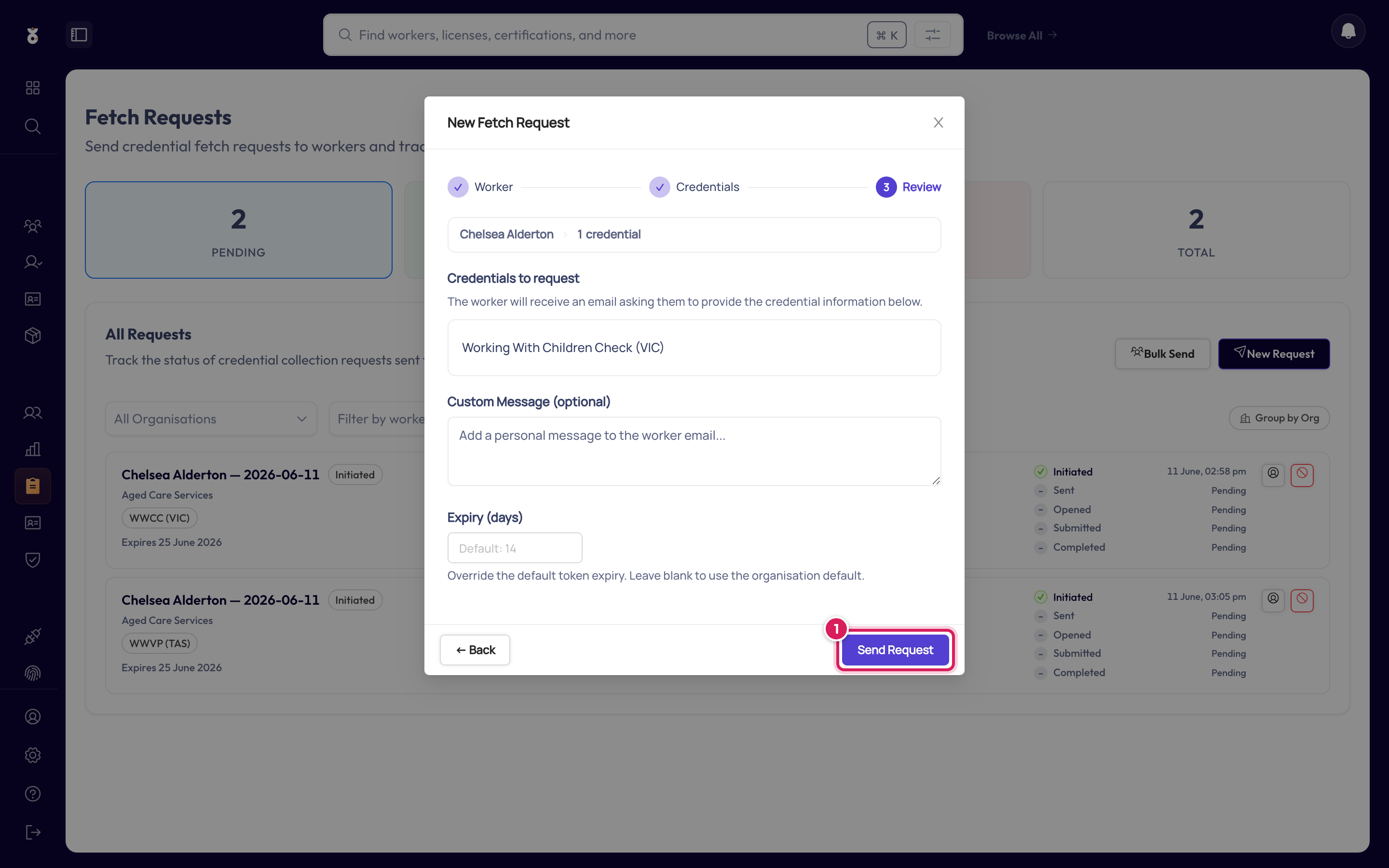
The worker receives an email at their work email address with a secure upload link — they don't need an Oho login.
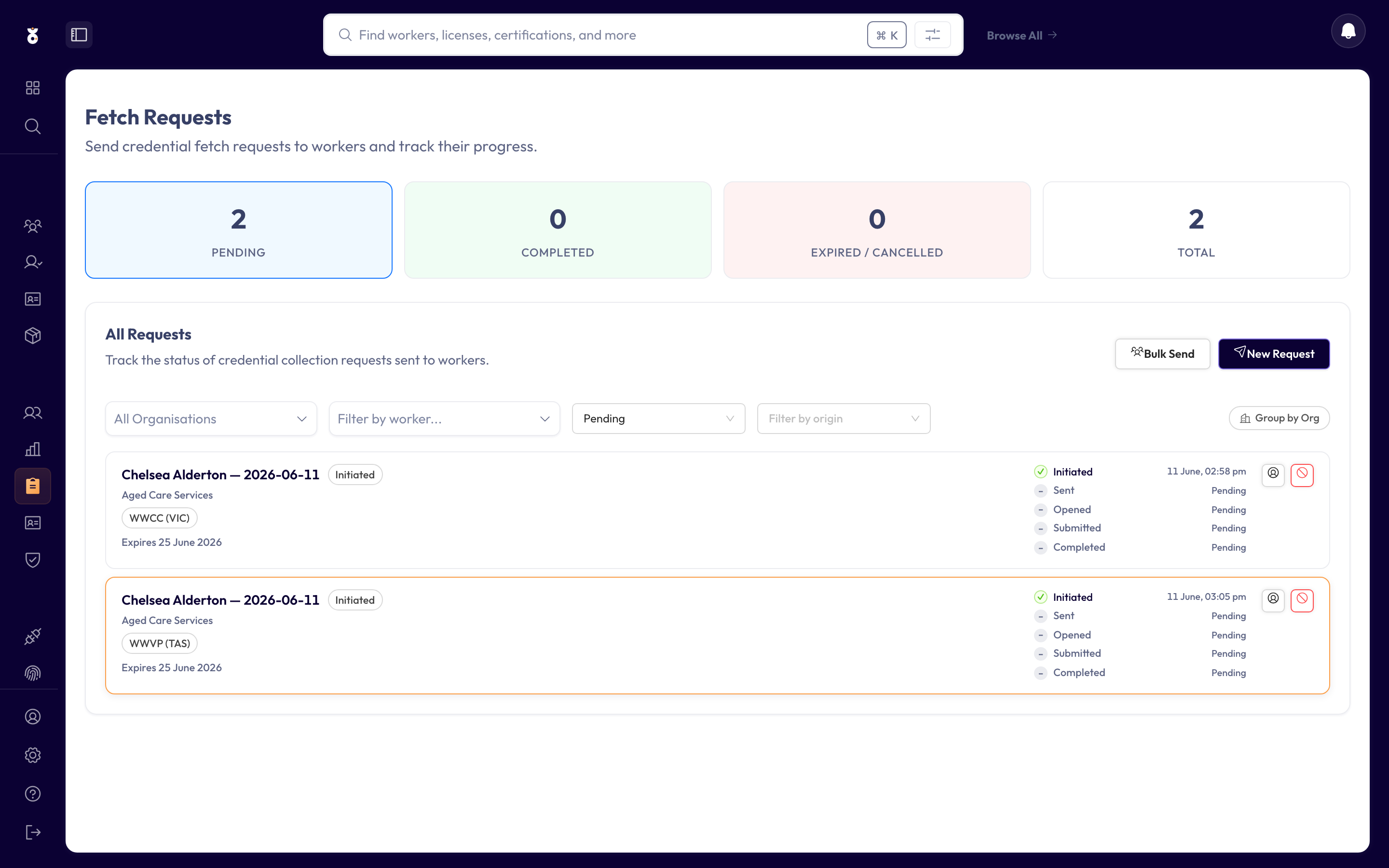
Track its progress
The request appears in the list as Awaiting response until the worker completes it.
From the Compliance Overview, select multiple workers in the Requires Attention queue and click Request info — Oho sends a fetch request to each of them in one go.