Create a Screening Package
A screening package is the bundle of checks a role requires — for example, a disability support worker might need an NDIS Worker Screening clearance plus a Working With Children Check. You build the package once, then use it every time you screen an applicant for that role.
What you'll end up with
A reusable, named set of required credentials you can attach to any recruitment check request.
Step 1: Open Screening Packages
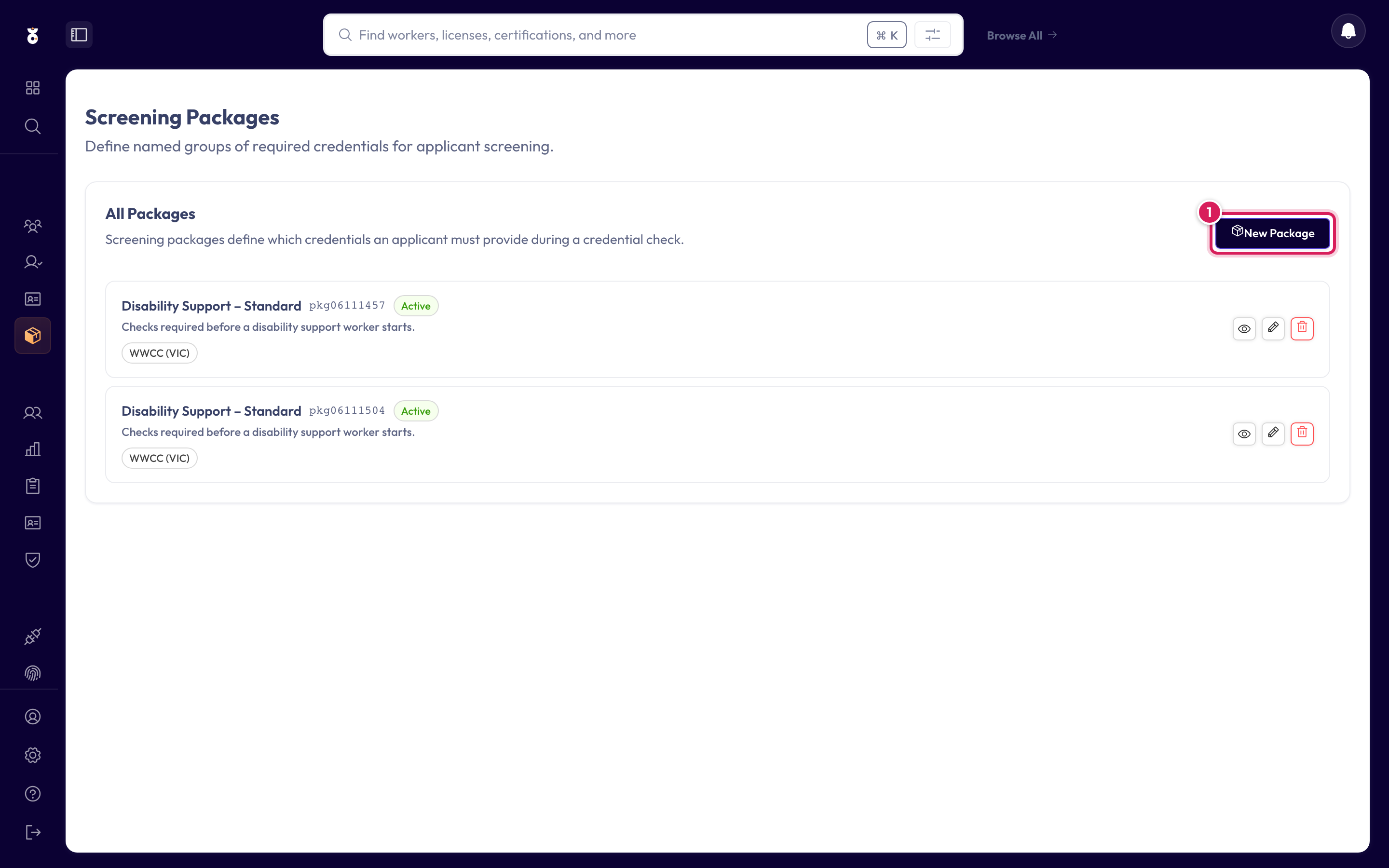
In the left menu under Recruit, click Screening Packages, then start a new package.
Step 2: Name it and pick the checks
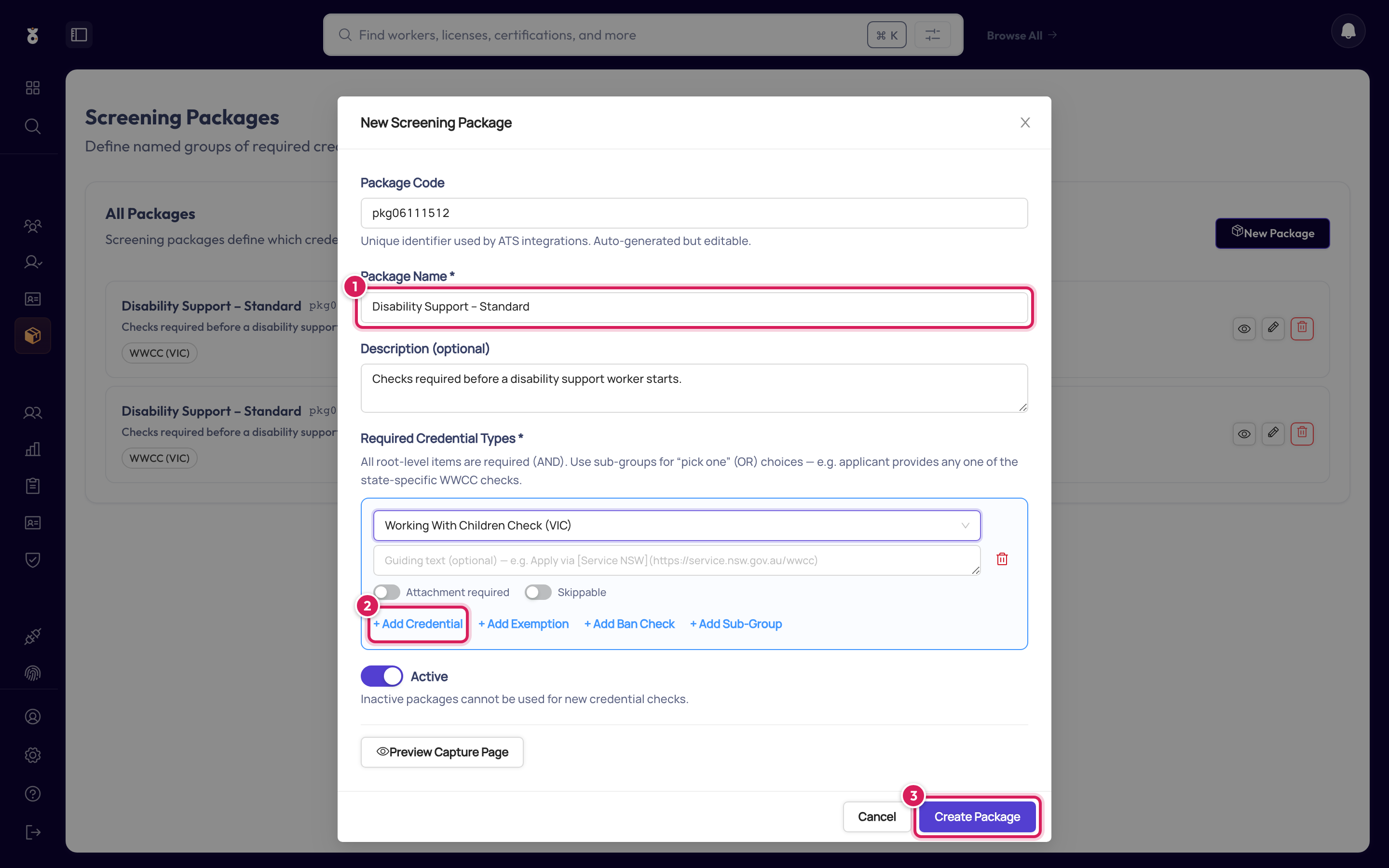
- Name the package after the role it screens for — "Disability Support – Standard", "Volunteer Coach", and so on
- Tick each credential the role requires
- Click Save
A short description helps colleagues pick the right package later.
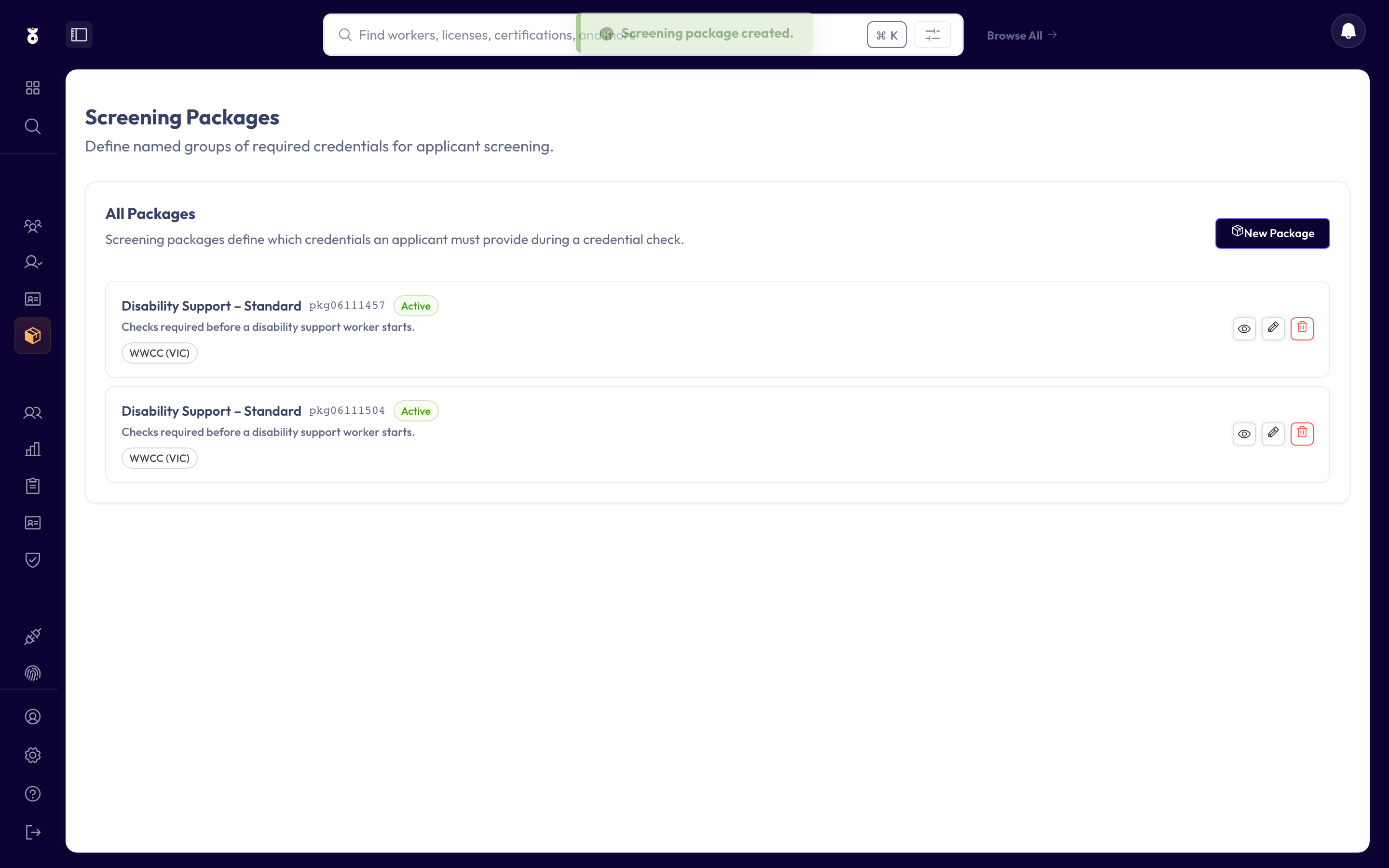
Done
The package now appears in your list, ready to use.
Keep packages role-shaped
Resist one giant "everything" package. Small, role-specific packages mean applicants are only asked for what their role actually requires — faster for them, cleaner for your audits.
What's next
- Send a recruitment check request using your new package