Add a Verification Source
A verification source is Oho's connection to an issuing register — Services Victoria for VIC Working With Children Checks, the NDIS Worker Screening Database, AHPRA. Once a source is connected, every credential of that type is checked against the register automatically, on a schedule, instead of relying on the expiry date someone typed in.
This guide connects the Working With Children Check (VIC) register — a good first source, because Services Victoria's public register needs no API key or account to query.
Every VIC WWCC in your tenant verified against Services Victoria on a weekly schedule, with statuses and engagement verdicts updating automatically.
Step 1: Open Verification Sources
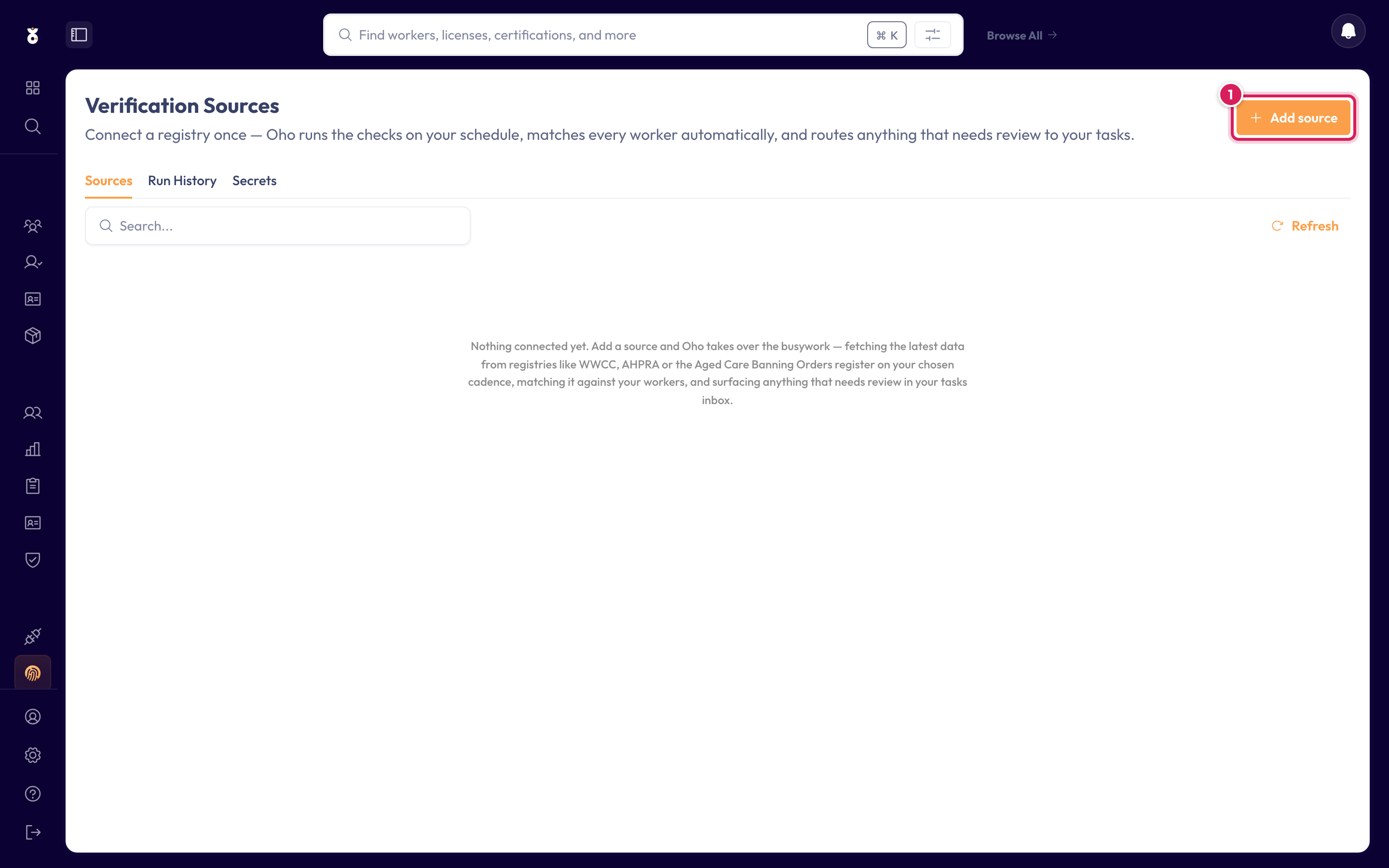
In the left menu under Admin, click Verification Sources, then click Add source.
Step 2: Choose the registry
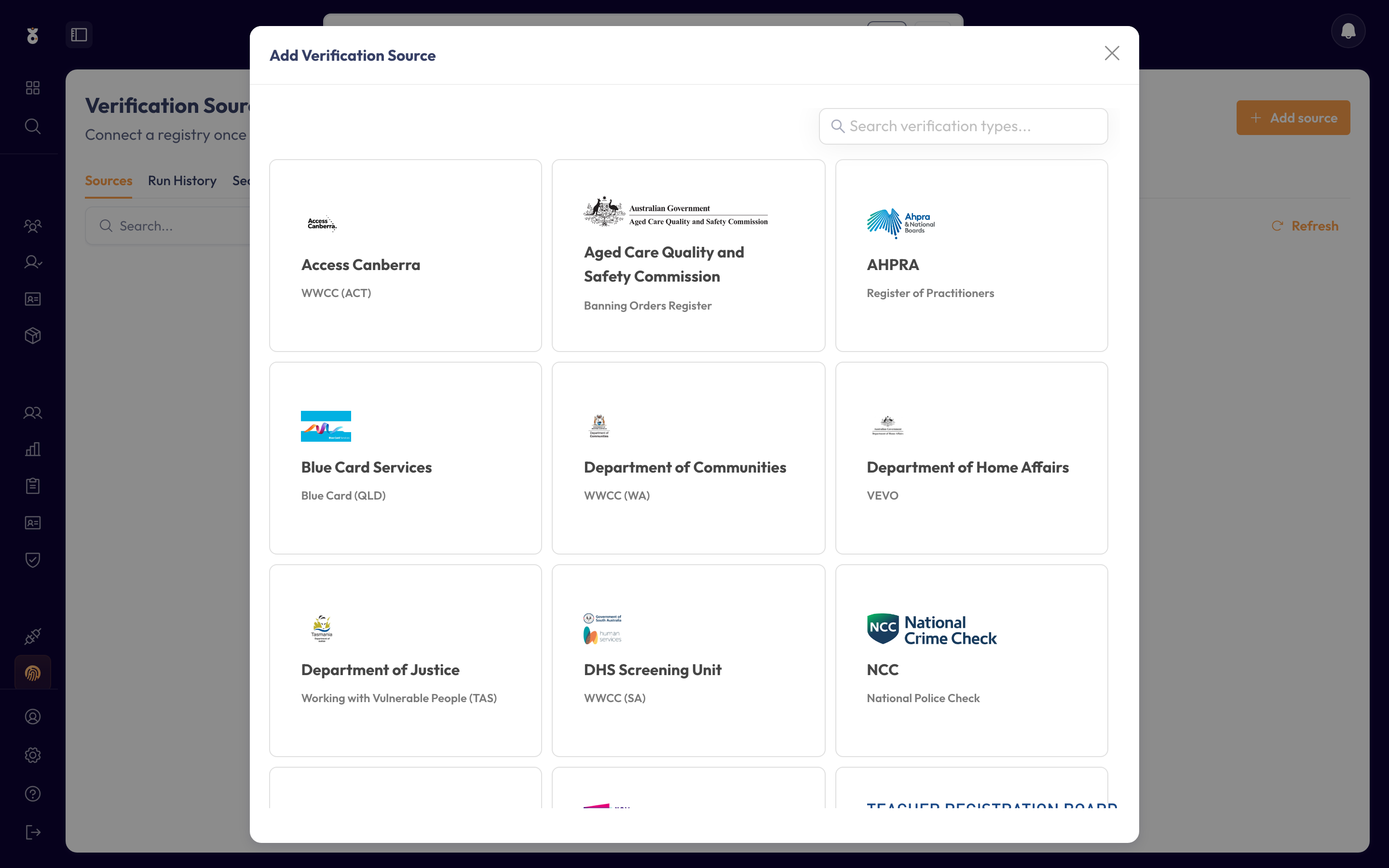
Pick Services Victoria — Working with Children's Check (VIC). Each card names the issuing authority and the credential type it verifies.
Step 3: Review the connection
VIC WWCC needs no authentication — Oho queries the public register directly. This screen explains what each check needs to succeed: the worker's Family Name and Card Number (as shown on their WWCC card) must be on their Oho profile. Click Next.
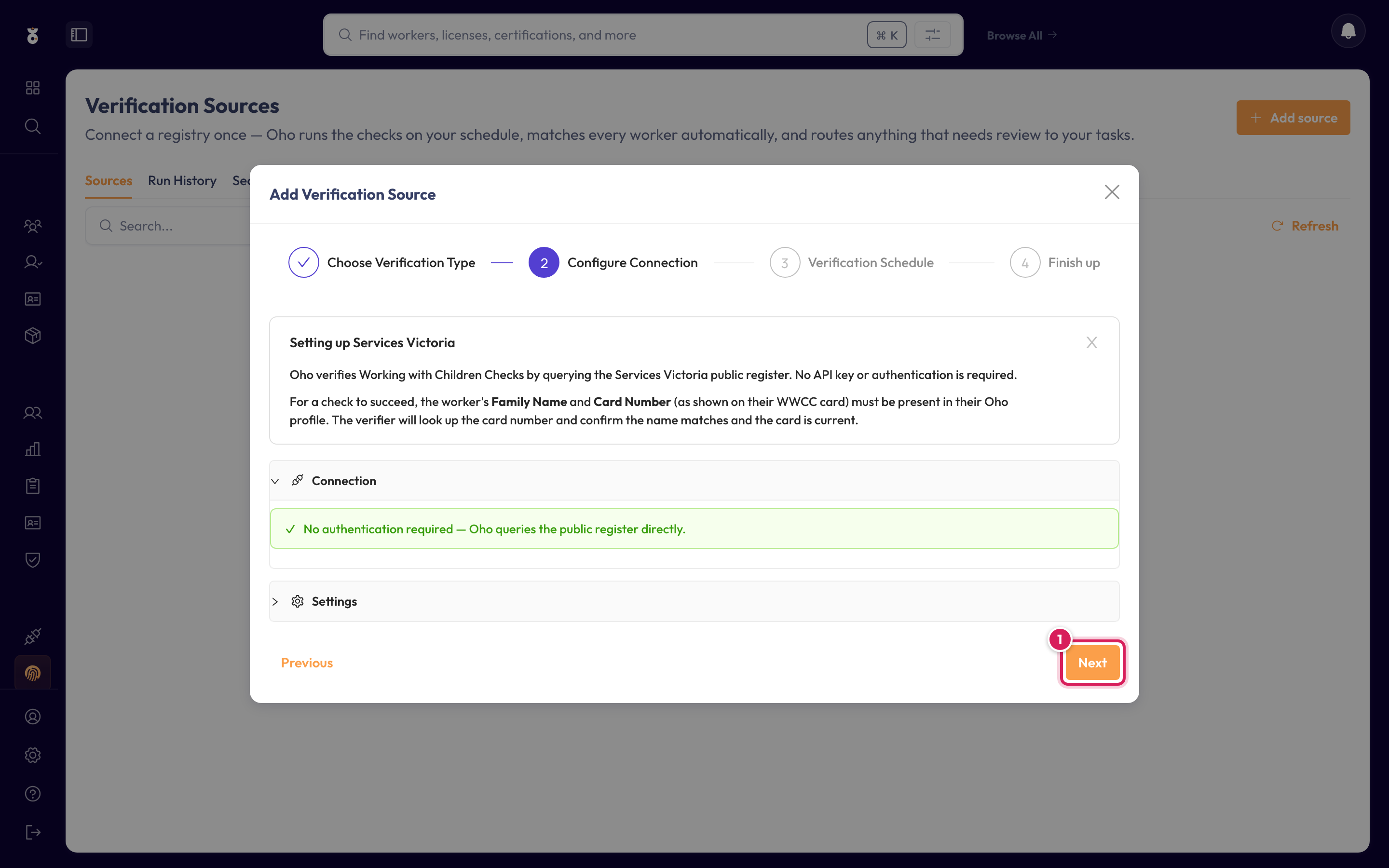
Sources like the SA Screening Unit or NDIS Worker Screening sign in on your organisation's behalf — for those, this step asks for the account details and lets you test them before continuing.
Step 4: Set the schedule
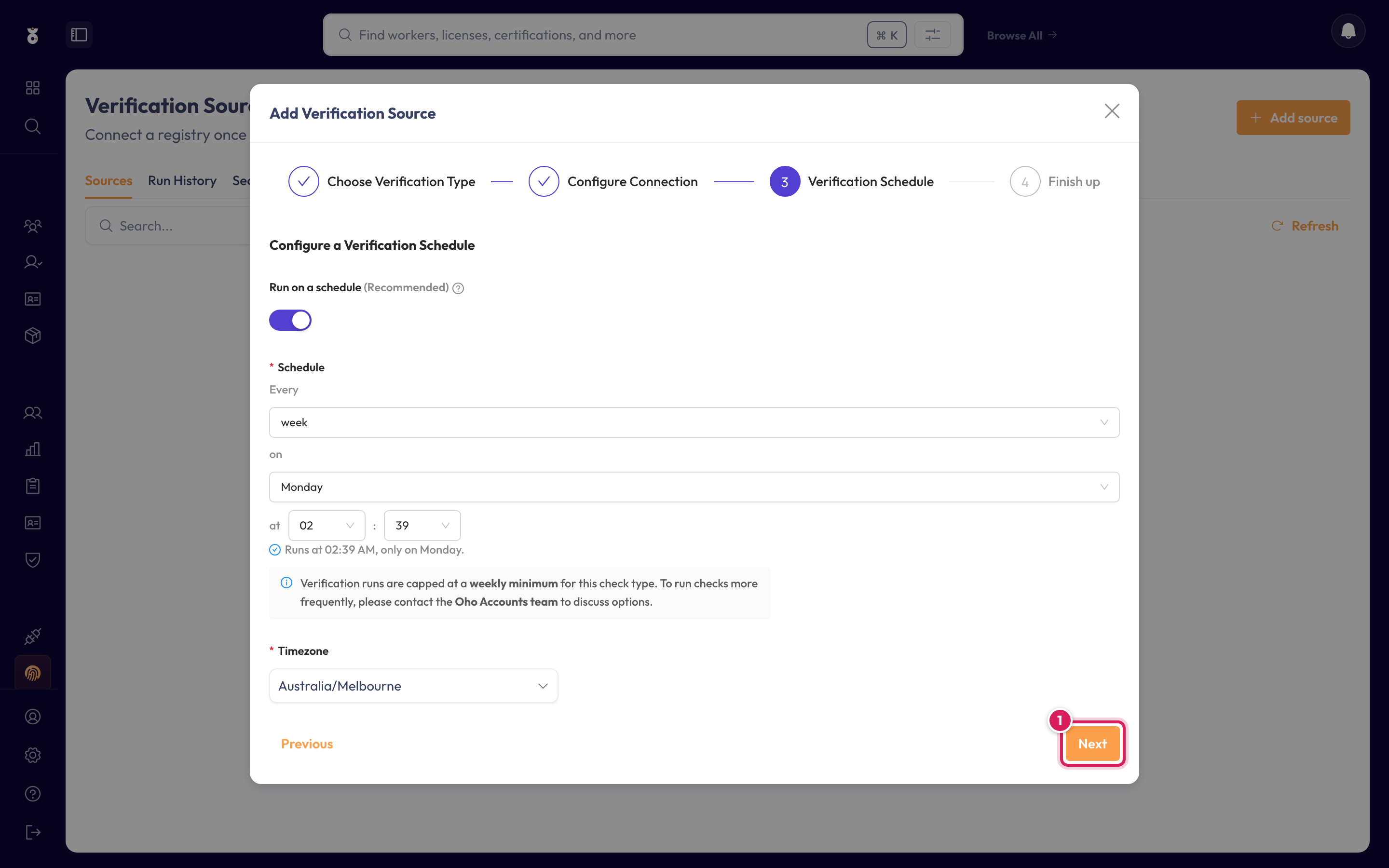
Choose how often Oho re-checks every credential against the register. Weekly is the default and suits most teams. Click Next.
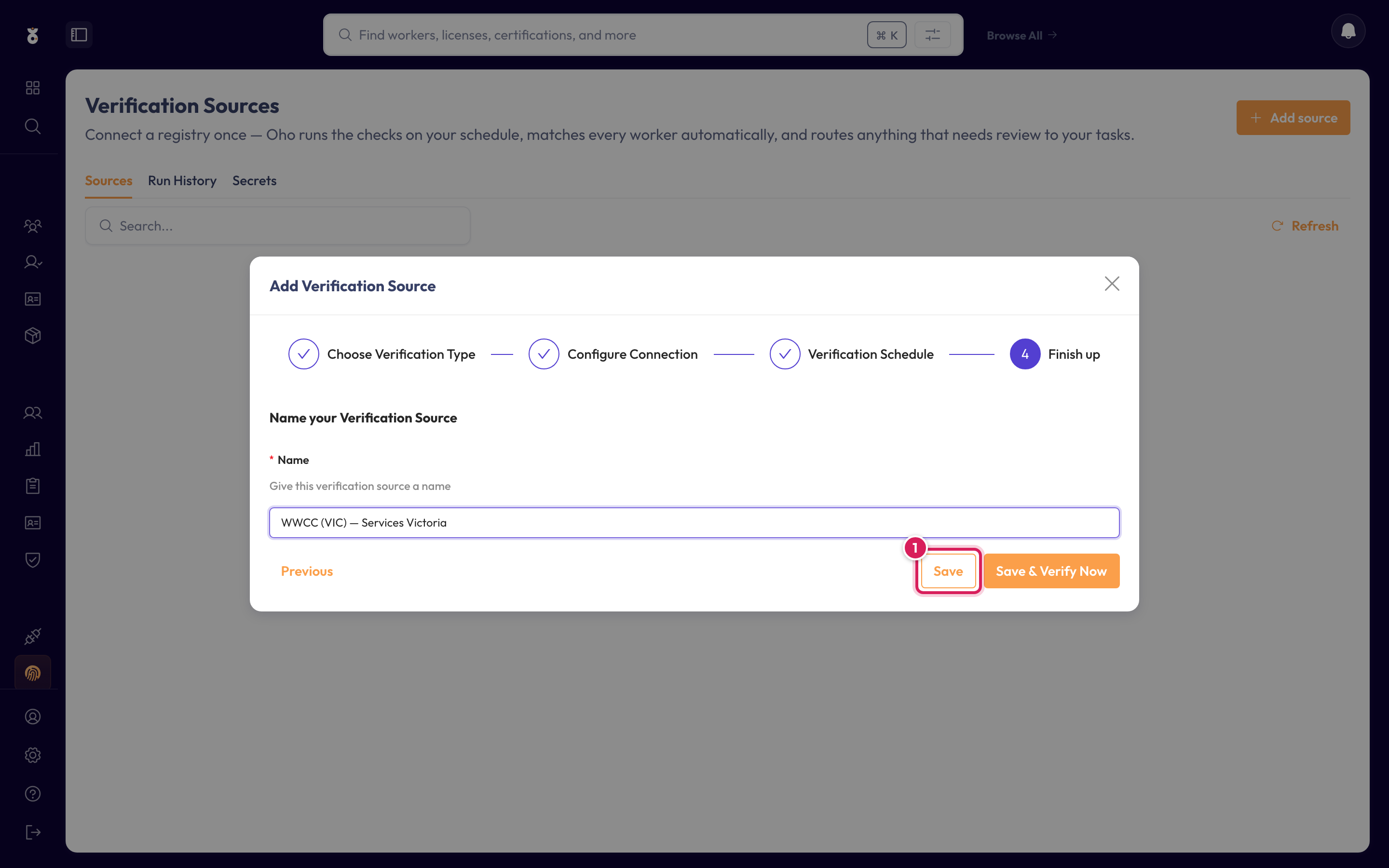
Step 5: Name it and save
Give the source a name your team will recognise, then click Save — or Save & Verify Now to kick off the first full check immediately.
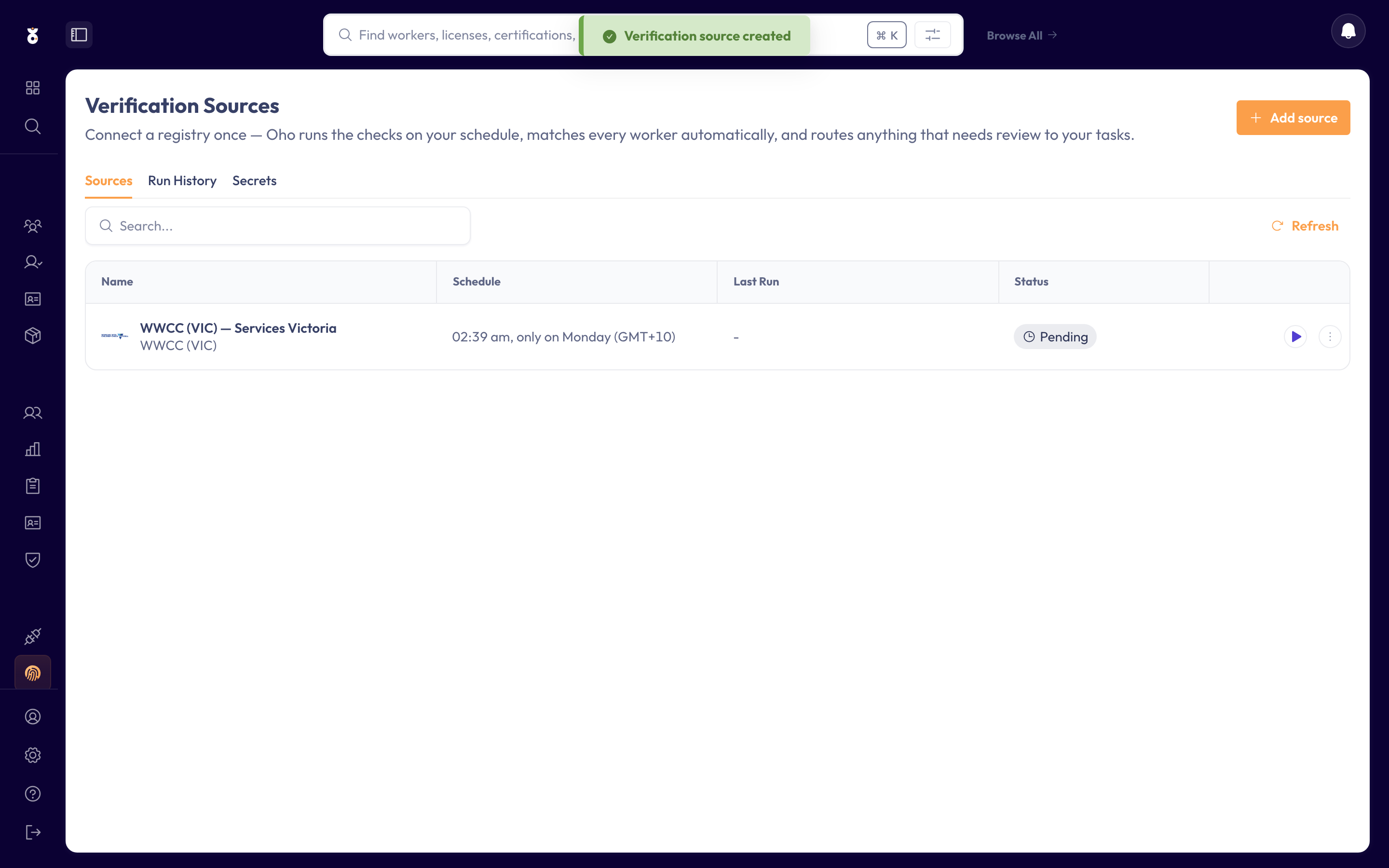
The source now appears in your list, and VIC WWCCs verify on the schedule you set.
Verification sources are admin-level configuration. If you don't see the Verification Sources menu item, ask your Oho administrator.
What's next
- Verify a credential to watch a single check run against the new source